AERONET Instrument Troubleshooting Interface - Solutions for CIMEL INTERNAL BATTERY NEGATIVE TREND Flag
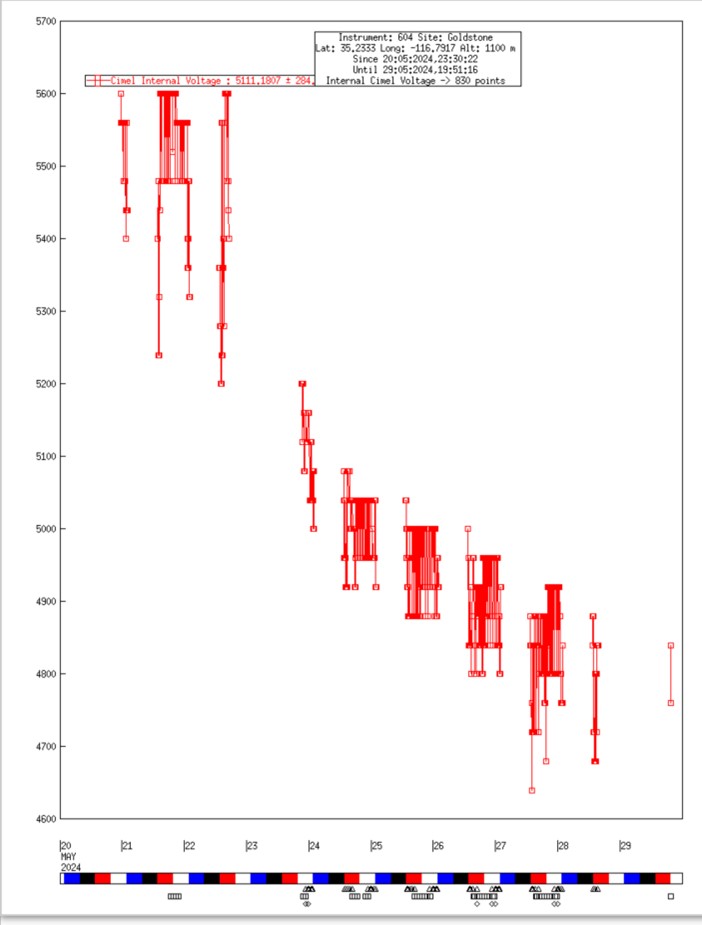
Description Older Cimel models (4 and 5) contain an internal 6 V battery in addition to the external 12 V battery. This flag applies the same declining-trend logic to that internal battery and does not apply to the Model T, which has no internal battery.
Condition(s) Include battery voltage trends for all 3 batteries: Scan daily average battery voltages for previous month; flag if the trend is less than -0.5V for DCP and Cimel External 12V batteries; flag if the trend is less than - 0.2V for Cimel 6V internal battery
Models 4 and 5 ONLY: VIEW > BAT (disconnect solar panel before checking)
Solution Level 1 (< 5 minutes) 1. Check/reseat all connections between solar panel and control box. 2. Check/reseat connector panel. 3. Check/reseat connections going to internal battery.
Solution Level 2 (more involved) Models 4 and 5: 1. Check/reseat internal connections and check TIP32 transistor for burning.
Solution Level 3 (last resort) 1. Replace battery or solar panel. 2. Return instrument for maintenance.
Internal connections, TIP32, and solar panel voltage check